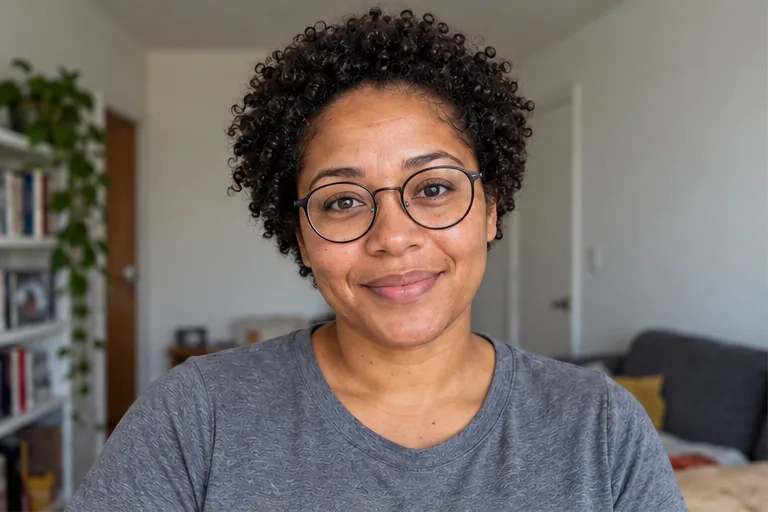
STEP 01 · Upload
Start with your own photo
Choose one clear portrait with your face and upper body visible.
Upload a photoFollow the illustrated workflow from upload to review. The shown looks are examples, not guaranteed generations.
Choose one clear portrait with your face and upper body visible.
Upload a photoPick one of 13 distinct directions, or describe an outfit and setting in Custom.
Choose a directionSAME SOURCE PHOTO
Choose the frame and resolution, check the credit cost, then generate one image.
Set the frame
Compare your face and outfit with the source before downloading.
Start editingExplore three illustrated portrait scenarios: a medical role, a chef portfolio concept, and a LinkedIn business profile. Your uploaded photo defines the person. These fictional illustrations show visual directions; review likeness and represent your real background accurately.
Choose Medical white coat for a clinic-style portrait with a plain coat and a professional setting. Compare facial structure, glasses, hair, and skin texture with your source photo before using the result. This preset explores an outfit and scene; a generated medical portrait does not establish qualifications, employment, or professional credentials.
Explore a medical portrait
Use Custom to describe a chef portrait for a creative portfolio concept: A white chef jacket in a restaurant kitchen; keep my face, curly hair, eye color, and glasses. Name the facial features to retain, then inspect the face, hands, jacket, and workplace. Use the image to illustrate a role while representing your real experience accurately.
Describe a chef portrait

Choose LinkedIn business for a navy blazer, neutral studio background, and soft lighting from one recent portrait. Review your facial structure, glasses, hair, and natural skin texture before uploading the image to your profile. Preview the final profile crop and use a result that represents you accurately. AI editing can change details; there is no identity lock.
Try a LinkedIn business portrait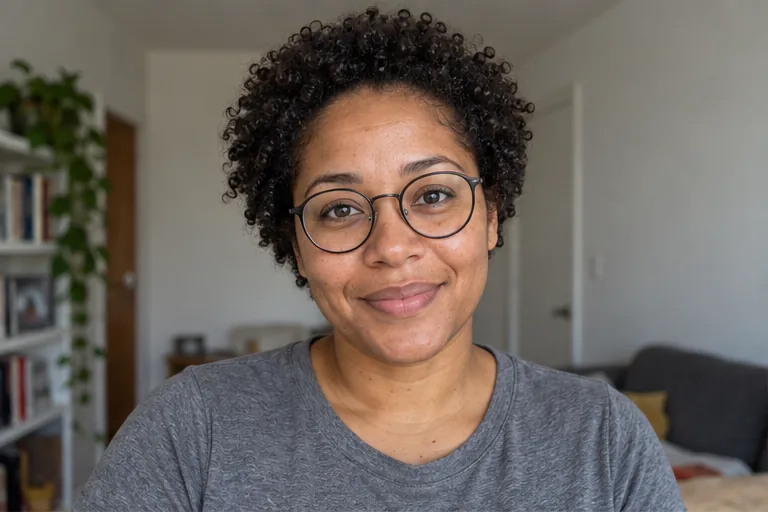
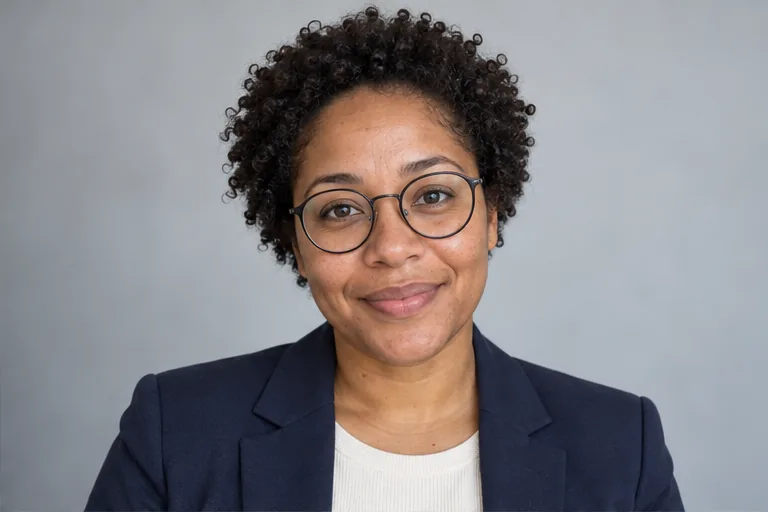
Choose LinkedIn business in Styles to request a navy blazer, neutral studio backdrop, and soft light from one clear recent portrait. Use Custom for different clothing or surroundings. The request asks to retain facial features, hair, glasses, and natural skin texture. Compare the result with your original and choose an image that represents you accurately.
Start with a sharp portrait in natural light, without heavy beauty filters. The professional-portrait direction asks for natural skin texture. In Custom, request soft lighting and retain your age, expression, and facial details rather than a flawless face. AI may still smooth skin, so compare with the original before using the headshot.
Upload a clear photo with your face and upper body visible. Choose Medical white coat, Chef, Pilot, or another direction among the 13 Styles presets, then check your settings and credit cost. Generate one image and compare the face and outfit with the source. Career directions create imagined role portraits; uniforms do not establish qualifications or employment.
AI Career Portrait supports both a professional profile look and imagined career roles. Choose LinkedIn business for a general business portrait. Other Styles directions, including Photographer, Musician, Chef, and Pilot, request matching clothing and surroundings. Use Custom for specific details. Generated workplaces, props, and uniforms do not demonstrate employment or qualifications.
Name the role, outfit, setting, and features to keep. For example: Show me as a chef in a white jacket in a restaurant kitchen; retain my face, curly hair, glasses, and natural skin texture. Custom accepts up to 1,000 characters or one outfit-and-setting reference. Text and reference are alternatives; the reference does not supply another person's identity.
AI career portraits generate a new image from your photo and selected direction, so identity details can drift. Use a sharp, well-lit source and name features to retain in Custom. Compare the face, eyes, hair, glasses, and proportions before saving. There is no identity lock; another successful generation uses credits and may still vary.
You can browse career styles without an account, but generation requires sign-in and credits. New accounts receive 40 credits for 30 days, and Generate displays the cost before submission. Failed generation returns credits. A successful image that you dislike still uses credits, and another role or retry is a separate request.
Choose a source image, give the model one clear direction, and review the result before using it.
Upload a photo
Select a secure payment provider to continue.
Sign in with Google or GitHub to generate and access your saved creations.
Create a new account with Google or GitHub to claim them. Unused credits expire 30 days after signup.
By continuing, you agree to the Terms of Service and Privacy Policy.