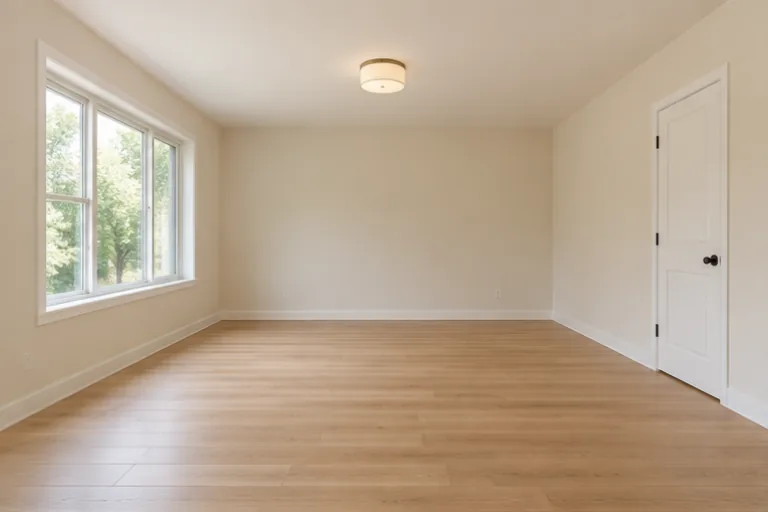
STEP 01 · Upload
Start with an empty room
Include the floor, doors, windows, and fixed fixtures.
Upload a photoFollow the illustrated workflow from upload to review. The shown looks are examples, not guaranteed generations.
Include the floor, doors, windows, and fixed fixtures.
Upload a photoPick a style, describe furniture, or use a reference.
Choose a directionSAME SOURCE PHOTO
Set the frame and resolution; check the credit cost.
Set the frame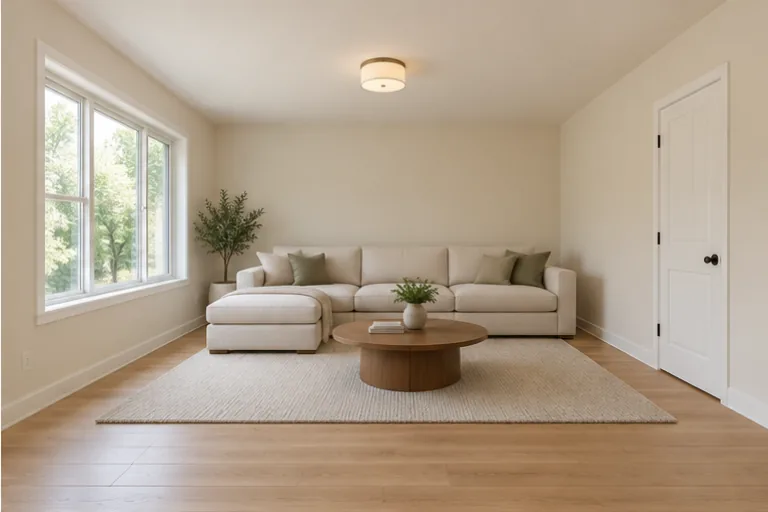
Compare architecture, furniture scale, and clearances.
Start editingExplore three illustrated scenarios: a modern living room, an oak-and-linen bedroom, and a Japandi style comparison. AI Virtual Staging adds furniture to an empty-room photo. Check the architecture and clearances against your source; generated furniture does not establish real-world fit.
Choose Modern to add a cream sofa, neutral rug, and walnut coffee table to an empty living-room photo. Use the image to show a possible furnishing arrangement alongside the vacant-room original. Check doors, windows, flooring, and clearances before sharing. Generated furniture is a visual suggestion, not measured inventory or the property's actual furnished condition.
Stage a modern living room
Use Custom for a bedroom concept: Add an oak bed, linen bedding, and two small nightstands; keep the windows, closet doors, floor, and camera angle. Start with a genuinely empty-room photo and inspect access around the bed. Identify the result as virtually staged and include the original when presenting the property's potential.
Describe bedroom furnishings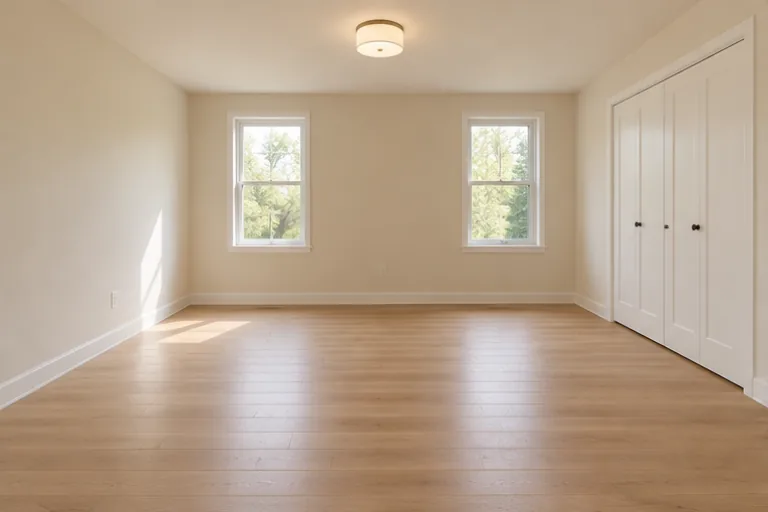
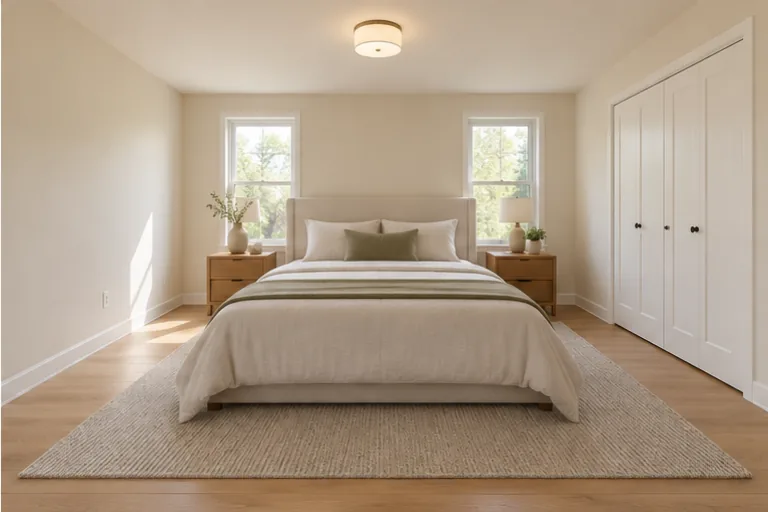
Choose Japandi to explore low oak furniture, cream linen, and muted sage accents from your empty-room photo. Compare it with the Modern concept in a separate generation to decide which style communicates the space clearly. Keep both empty-room and staged images for review; neither style verifies furniture dimensions or clear walkways in the real room.
Try Japandi virtual staging
AI Virtual Staging adds a furnishing concept to one empty-room photo. Upload a clear view of the floor, windows, doors, and fixed fixtures. Choose one of 12 furniture styles or use Custom for a description or one furniture reference. Select your settings, check the cost, and generate one image. Compare it with the empty original before saving.
AI virtual staging can redraw details while adding furniture. The request asks to retain architecture, floor finishes, fixtures, condition, camera angle, and light, but it does not lock those pixels. Compare doors, windows, and wall edges with the source. Reject a concept that changes the property, even when the new furniture looks convincing.
AI virtual staging cannot verify furniture fit from one photo. The request asks for plausible scale and clear access, but proportions may still be wrong. In Custom, request fewer or smaller pieces and unobstructed walkways. Measure the actual room and furniture separately before buying or presenting a layout as feasible.
Each virtual-staging submission edits one photo independently. Reusing a furniture description or style reference can guide another image, but the editor does not link room views or guarantee matching objects and placement. Compare related results together. Do not present inconsistent furniture layouts as one accurate furnished room.
Name the room, furniture, palette, and features to keep. Try: Add a low oak bed, cream bedding, and two small nightstands; retain windows, closet doors, flooring, the light fixture, camera angle, and clear walkways. Custom accepts up to 1,000 characters or one furniture reference, used separately. Inspect architecture and scale after generation.
AI Virtual Staging starts with an empty room; it has no furniture-removal or decluttering mode. Upload a genuinely empty-room photo to explore furnishings. For a different style in an already furnished space, use AI Room Redesign. Neither workflow guarantees accurate furniture removal or a listing-ready empty-room reconstruction.
Generation requires sign-in and credits; new accounts receive 40 credits for 30 days. Generate displays the cost for your selected settings before submission. Each request creates one image, and another style or retry has its own cost. A successful but unsuitable concept still uses credits; there is no unlimited free or guaranteed usable-result allowance.
Identify the image as virtually staged and show the empty-room original alongside it. Imagine Scenes does not automatically add a disclosure label or check listing requirements. Check your platform and brokerage rules before publishing. Compare architecture, visible condition, furniture scale, shadows, and access; reject any image that could misrepresent the property.
Choose a source image, give the model one clear direction, and review the result before using it.
Upload a photo
Select a secure payment provider to continue.
Sign in with Google or GitHub to generate and access your saved creations.
Create a new account with Google or GitHub to claim them. Unused credits expire 30 days after signup.
By continuing, you agree to the Terms of Service and Privacy Policy.