
STEP 01 · Upload
Start with your own portrait
Use a clear waist-up photo with one visible face.
Upload a photoFollow the illustrated workflow from upload to review. The shown looks are examples, not guaranteed generations.
Use a clear waist-up photo with one visible face.
Upload a photo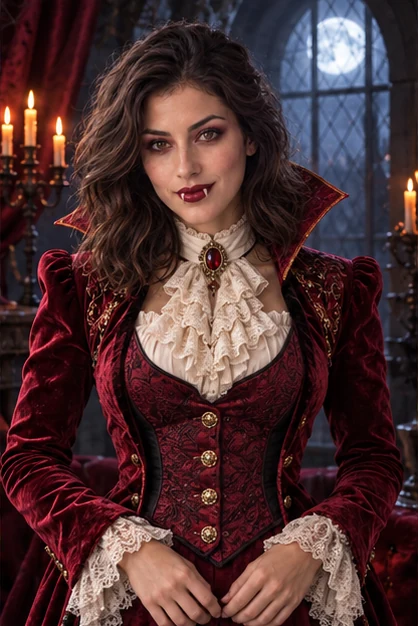 Vampire countess
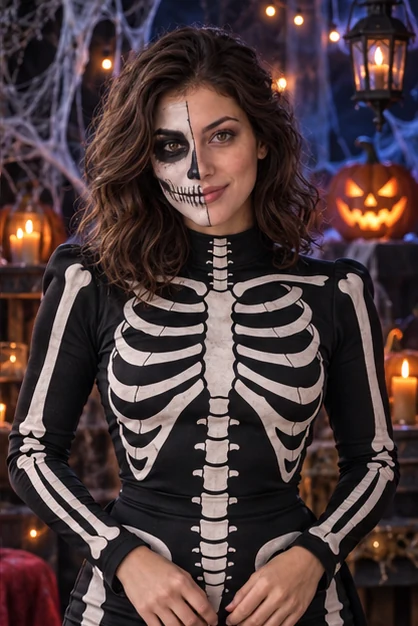 Skeleton
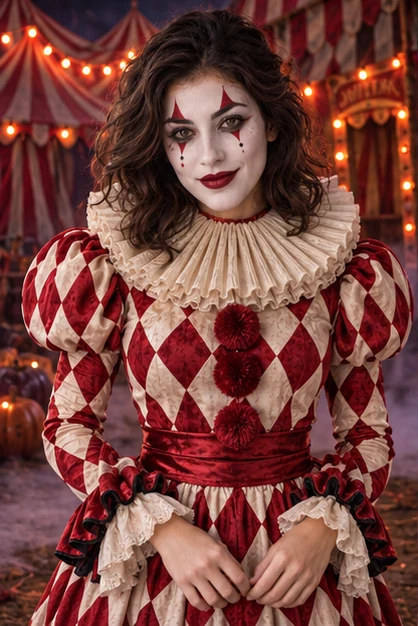 Harlequin clown
Pick a Women or Men look, or use Custom.
Choose a directionSAME SOURCE PHOTO
Choose ratio and resolution; check the credit cost.
Set the frame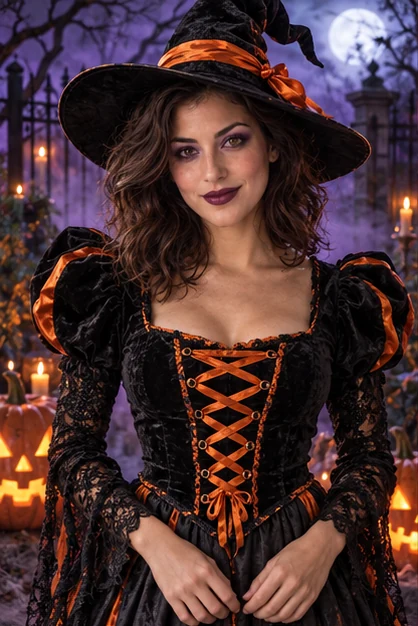
Check face, hands and costume before downloading.
Start editingExplore four illustrated transformations from casual half-body portraits: a witch, vampire, skeleton and harlequin. Women and Men offer six directions each; Custom lets you describe another look or use one style reference. These fictional examples show visual directions, not verified site-provider outputs.
Choose Witch for a pointed hat, black velvet with orange lacing, purple eye makeup and a pumpkin-lit midnight garden. A waist-up source gives the sleeves and bodice room to show. Use the result for a Halloween profile or party post, then compare your face and hands with the original.
Try the witch look
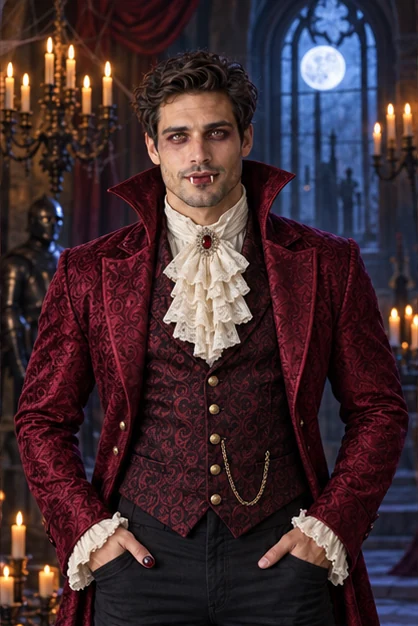
Choose Vampire count for a wine-red brocade coat, standing collar, ivory cravat and theatrical smoky eyes in a candlelit castle. This direction changes clothing, makeup and setting together. Inspect the collar, small costume fangs and facial likeness before saving your gothic portrait.
Try the vampire count
Choose Skeleton for a black-and-ivory bone-patterned outfit and decorative skull makeup on half the face. The other side stays easier to compare with your source. Check eyes, painted teeth, garment patterns and hands before using the image as a Halloween costume concept.
Try the skeleton look
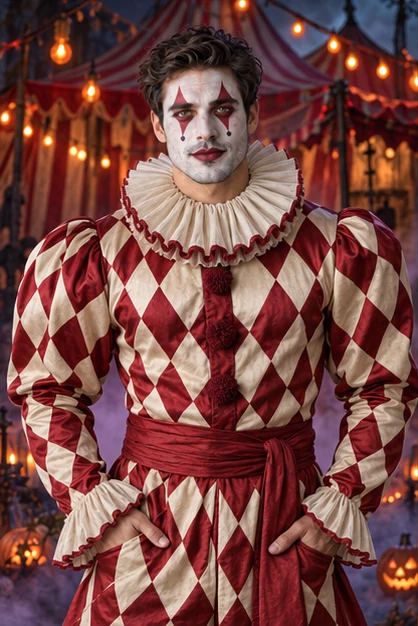
Choose Harlequin clown for red-and-ivory diamonds, a pleated ruff, white facepaint and red eye graphics in a foggy carnival. The shape and palette differ from the darker witch and vampire looks. Compare your facial structure beneath the paint, and add any event wording separately after downloading.
Try the harlequin clown
Upload one clear adult portrait, choose a Women or Men preset, set the frame and resolution, and check the credit cost before generating. A waist-up photo helps show sleeves, collars and costume details. The request changes costume, theatrical makeup, lighting and setting while aiming to retain your face. Compare likeness with the original before downloading.
Women presets include Witch, Vampire countess, Skeleton, Harlequin clown, Dark fairy and Mummy. Men presets include Wizard, Vampire count, Skeleton, Harlequin clown, Dark elf and Mummy. Each direction pairs a distinct outfit with makeup and a Halloween setting. The tabs organize styling ideas; choose the look you want for your uploaded person.
Describe clothing, makeup and surroundings together. For example: A wine-red vampire coat, ivory cravat, smoky eyes and a candlelit gothic castle; keep my face, hair and pose. Custom accepts up to 1,000 characters or one costume-and-makeup reference. Text and reference are alternatives. The reference guides the look, not another person's identity.
Use Custom to request a ghost-film scene, such as a haunted porch with distant translucent ghosts, carved pumpkins, blue fog and moonlight. Ask to keep your face visible so you can check likeness. The tool creates one new image; it does not combine separate people or guarantee precise placement of every prop.
Browsing the Halloween presets is free. Generation requires sign-in and credits. New accounts receive 40 credits that expire after 30 days. Generate displays the cost before submission. Failed generation returns credits; a successful image that you dislike still uses credits, and another attempt is a separate request.
You can download the generated image or find it in My Creations. Choose a frame suited to your post or invitation and request 1K, 2K or 4K output. Check the actual dimensions, face, hands and costume before sharing or printing. Add invitation wording separately after downloading; this workflow requests an image without text.
Choose a source image, give the model one clear direction, and review the result before using it.
Upload a photo
Select a secure payment provider to continue.
Sign in with Google or GitHub to generate and access your saved creations.
Create a new account with Google or GitHub to claim them. Unused credits expire 30 days after signup.
By continuing, you agree to the Terms of Service and Privacy Policy.