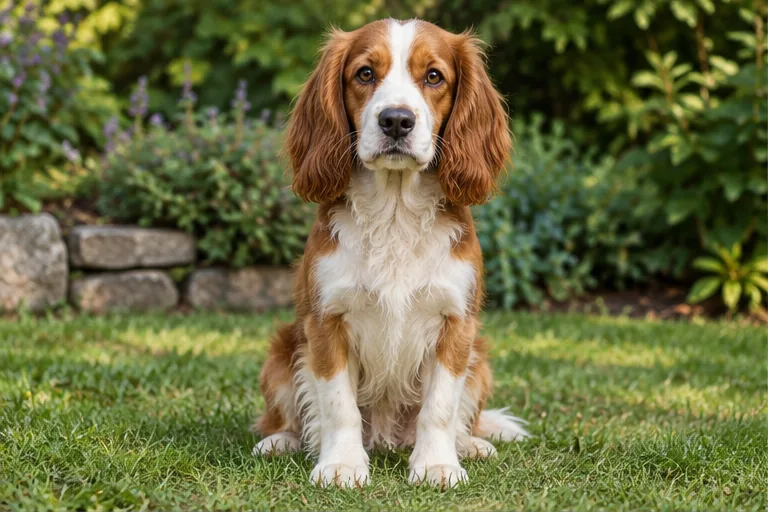
STEP 01 · Upload
Start with your pet’s photo
Keep the face, ears, coat markings, and paws visible.
Upload a photoFollow the illustrated workflow from upload to review. The shown looks are examples, not guaranteed generations.
Keep the face, ears, coat markings, and paws visible.
Upload a photoPick a style or describe a personalized look.
Choose a directionSAME SOURCE PHOTO
Set the frame and resolution; check the credit cost.
Set the frame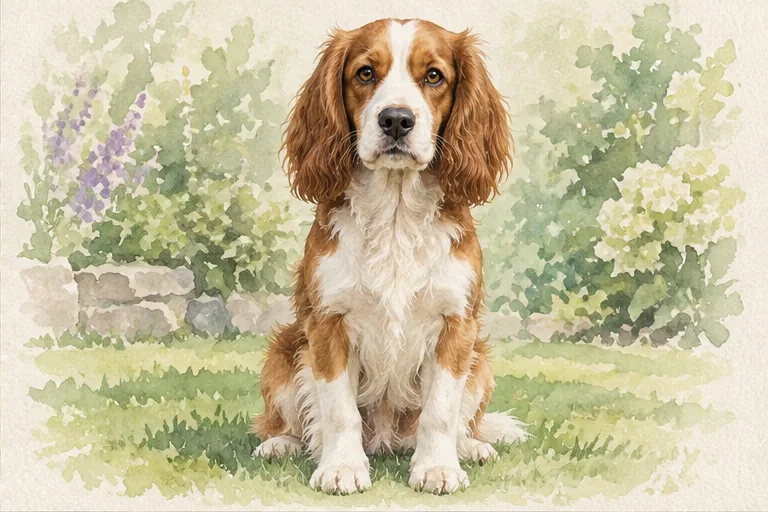
Check markings, eyes, and anatomy before downloading.
Start editingExplore three illustrated pet-art scenarios: a watercolor gift, a royal character, and an oil-painted keepsake. Your photo anchors one pet. The examples are fictional digital illustrations; compare coat markings, eyes, and anatomy before saving your own artwork.
Choose Watercolor to turn a dog photo into soft artwork on pale paper. Your source photo supplies the pet's face, coat colors, and distinctive markings. Compare the muzzle, ears, eyes, and paws before saving the image for a digital gift. The result is AI-generated artwork; no painting or printed product is included.
Try watercolor pet art
Use Custom to describe a playful royal pet portrait: A burgundy cape, gold trim, and a dark painted background; keep my cat's face, coat markings, and white paws. Review the ears, expression, and animal anatomy before using it as an avatar or card image. Add any greeting separately after downloading your artwork.
Describe a royal pet portrait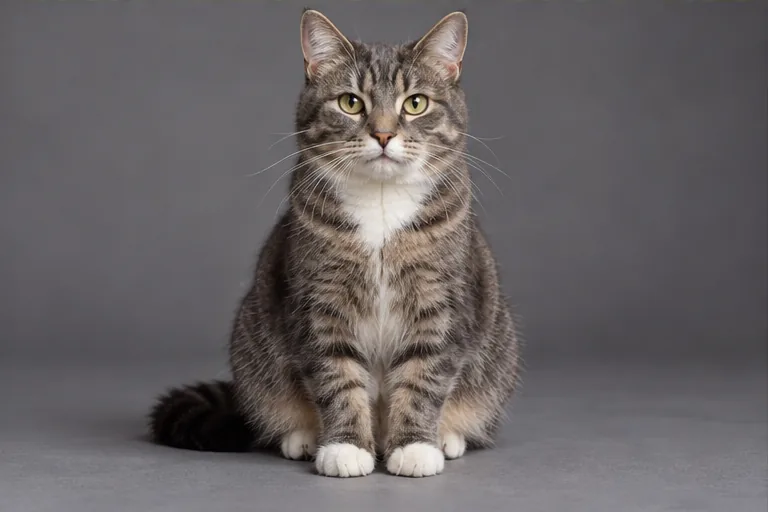
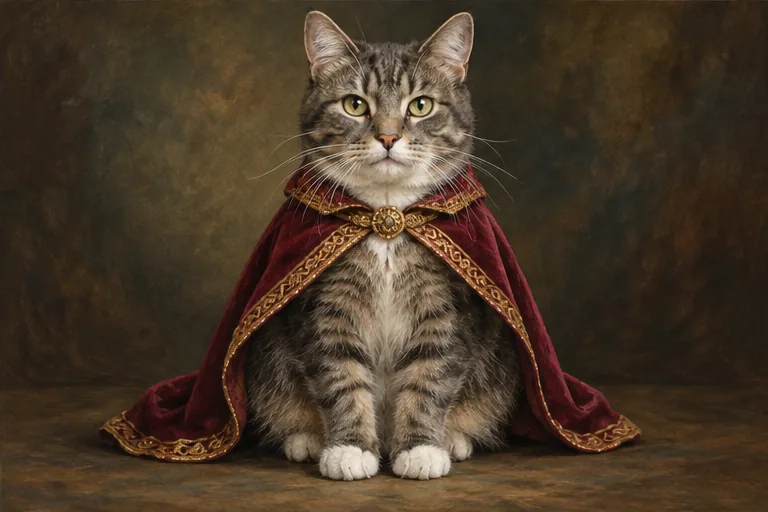
Choose Oil painting for visible brushwork and a restrained, warm background. Use a clear photo of one pet, including an older photo for a memorial keepsake, and inspect whether the face and coat markings still resemble your companion. Before printing, check the downloaded image's dimensions, crop, and your printer's requirements. A physical print is not included.
Try an oil-painted pet portrait
Upload one clear photo of one pet, then choose one of 24 Art or Character directions or use Custom. Select your settings, check the credit cost, and generate one image. Compare the pet's face and markings with the original before downloading. The example pictures illustrate styles; they are not submitted with your photo.
The pet-portrait request asks to retain species, muzzle, ears, eye color, coat patterns, and pose, but those details can change. Use a clear source and name distinctive markings in Custom, such as a white blaze or asymmetric patch. Compare the artwork with your photo; an appealing animal illustration may still miss your pet's likeness.
This pet-portrait workflow uses one source photo to anchor one pet. Its second image slot is an art-style reference, not another animal to combine. The editor does not offer multi-pet composition or identity matching across separate photos. Generate each pet's portrait separately rather than assuming a group image will retain every animal accurately.
Choose Watercolor in Art for a painted-paper treatment, or Royal portrait in Character for a playful costume scene. There are 12 directions in each group. Custom can describe another look or use one art-style reference. Review the pet's markings and anatomy; these are AI-generated digital interpretations, not hand-painted commissions or physical products.
Name the art treatment, pet details, and mood. Try: Watercolor on ivory paper with a light sage wash; keep my dog's brown ears, white forehead blaze, amber eyes, black nose, and seated pose. Custom accepts up to 1,000 characters or one style reference. The reference guides rendering and palette, not a second pet's identity.
You can download a digital pet portrait in the requested 1K, 2K, or 4K output. Check its actual pixel dimensions, crop, and fine detail against your printer's requirements before ordering. Keep ears and paws away from the planned crop. Imagine Scenes does not ship prints, frames, or canvases, and does not guarantee a particular print size or quality.
Imagine Scenes creates AI-generated digital artwork from a pet photo. It is not a hand-painted commission and includes no physical memorial product. For a keepsake, retain the original and review markings, expression, and anatomy before sharing or printing the artwork. A downloaded image can guide a separate printing order, subject to the printer's requirements.
Pet-portrait generation requires an account and credits. New accounts receive 40 credits that expire after 30 days. Check Generate for the cost before submitting. Failed generation returns credits; a successfully generated portrait that you dislike still uses them. Downloading does not include a printed product or make further generations free.
Choose a source image, give the model one clear direction, and review the result before using it.
Upload a photo
Select a secure payment provider to continue.
Sign in with Google or GitHub to generate and access your saved creations.
Create a new account with Google or GitHub to claim them. Unused credits expire 30 days after signup.
By continuing, you agree to the Terms of Service and Privacy Policy.