AI News Graphic Generator

AI News Graphic Generator

Design a news graphic

Input method

Supports Reuters, AP, BBC, Guardian, NYT, Verge and TechCrunch article links.

Primary subject / person (optional)
Additional optionsAlert badge and highlight colors
Badge format
Headline accent
Resolution
Aspect Ratio
Free try: Checking… ⓘOne free 1K image without signing in. Checking your free try availability.

Output

Your generated results will appear below.

Download image
Generated image at full size
HOW IT WORKS

How AI News Graphic Generator works

Make a breaking news graphic from a headline or article URL, with a portrait and highlighted text. Try one 1K image free, no login required.

Story brief

Breaking headline · Required

Topic · Primary subject · Secondary scene · Optional

STEP 01

Add a news link or topic

Choose News article URL and Extract its title and context, or Topic or event and enter your own Breaking headline. Optionally name a primary subject and a scene or object for the circle.

Add a story
Badge and highlighted words

Regular or angled badge

Five accent colors or Custom

STEP 02

Customize the badge and highlights

Open Additional options to set Alert label, Badge format, Words to highlight and Headline accent. Select Use this layout below to load a portrait, circle scene and headline you can edit.

Set highlights
ASPECT RATIO
4:51:19:1616:9
RESOLUTION
1K2K4K
STEP 03

Set the frame and generate

Choose the aspect ratio, then generate one image. Guests use their free 1K try; signed-in users choose 1K, 2K or 4K and see the credit cost.

Set the frame
Output artwork
STEP 04

View and download

Switch between Image and Feed preview, open Full size and download the completed graphic. The portrait, badge and headline are part of one image.

View output
MADE FOR EVERYDAY CREATORS

News graphics for social media, headlines and announcements

Build one news image from an article title or your own statement. Pair a portrait with a circle inset, add an alert label and highlight key phrases. Select 4:5, 1:1, 9:16 or 16:9 for the image, then switch between Image and Feed preview in Output.

Create an AI technology news graphic

Choose Use this layout to load the Sam Altman portrait direction, AI chip inset and headline. Replace the statement in Breaking headline, then set Words to highlight in Additional options.

  • Person: Sam Altman
  • Circle: blue and gold AI chip
  • Highlight: Practical AI education · build together
Use this layout
Technology news graphic with a Sam Altman portrait, AI chip circle inset and highlighted headline

Make a space news card with a portrait

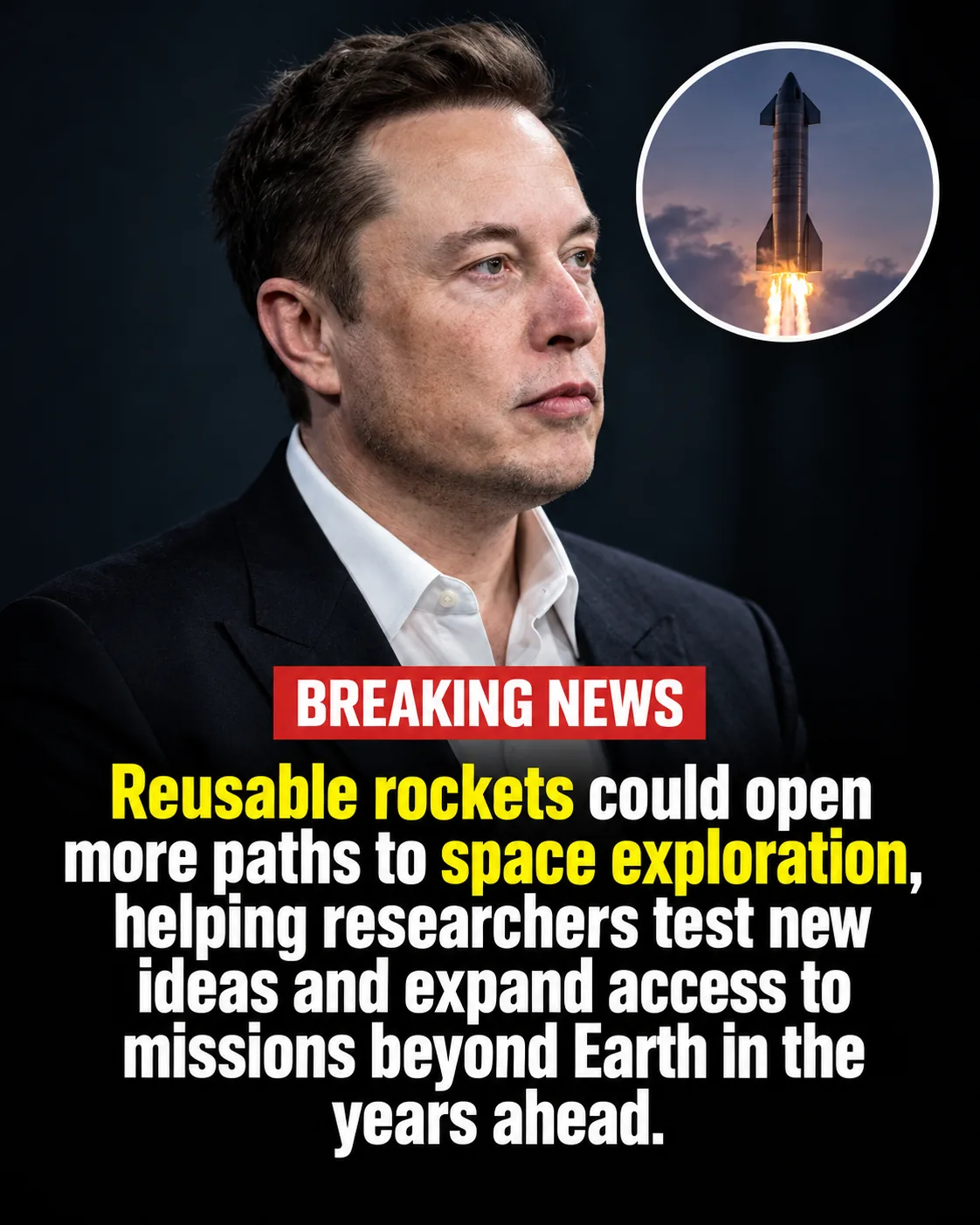
Select Use this layout to load an Elon Musk portrait direction, rocket-launch circle and dark editorial backdrop. Edit the Breaking headline, primary subject and secondary scene to match your story.

  • Person: Elon Musk
  • Circle: rocket launch
  • Highlight: Reusable rockets · space exploration
Use this layout
Space news graphic with an Elon Musk portrait and a rocket launch in a circle inset

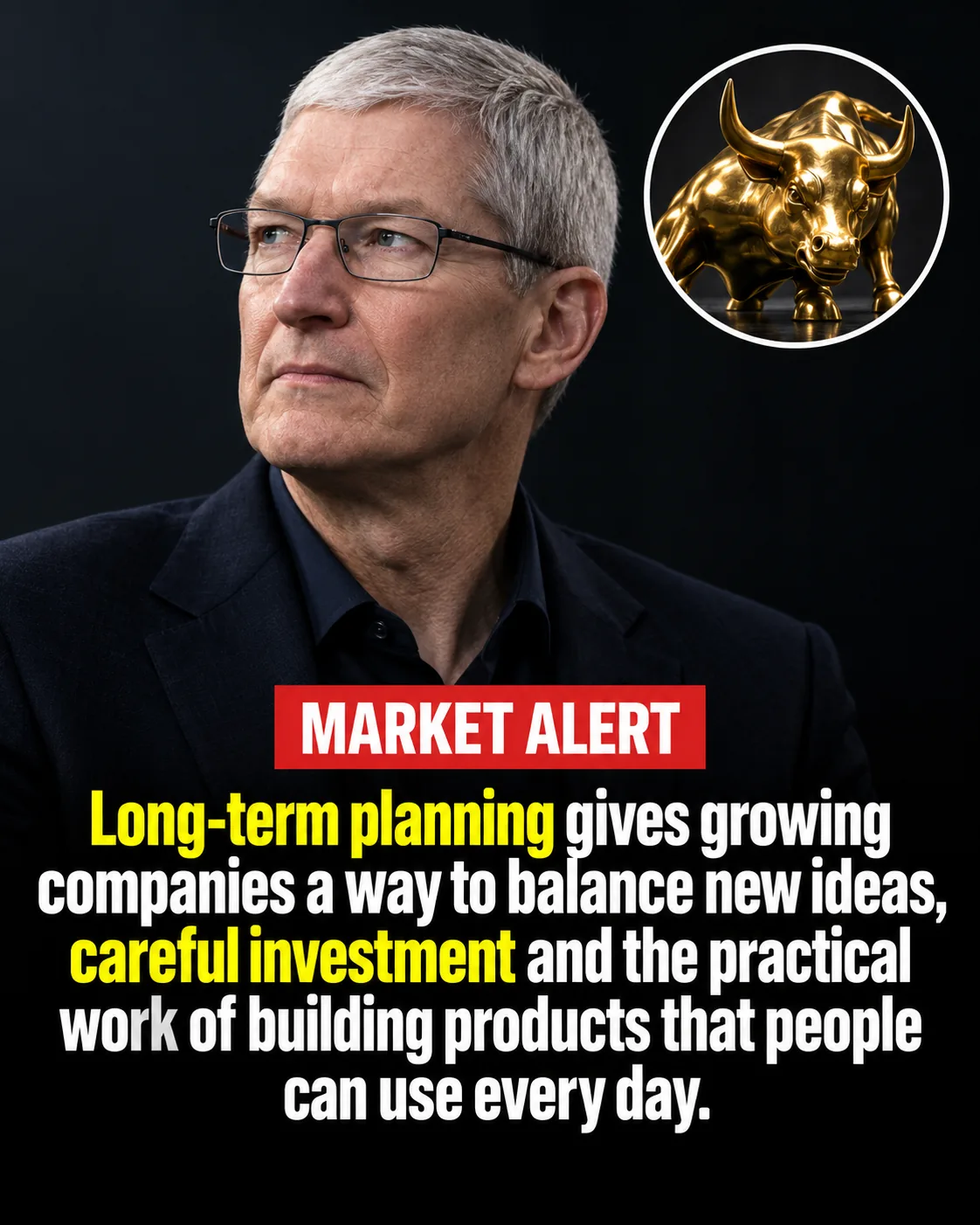
Design a finance news graphic with a market alert

Select Use this layout to load a Tim Cook portrait direction, warm boardroom lighting and gold bull inset. Edit the statement and set MARKET ALERT or your own Alert label in Additional options.

  • Person: Tim Cook
  • Circle: gold bull sculpture
  • Alert label: MARKET ALERT
Use this layout
Finance news graphic with a Tim Cook portrait, gold bull circle inset and market alert label

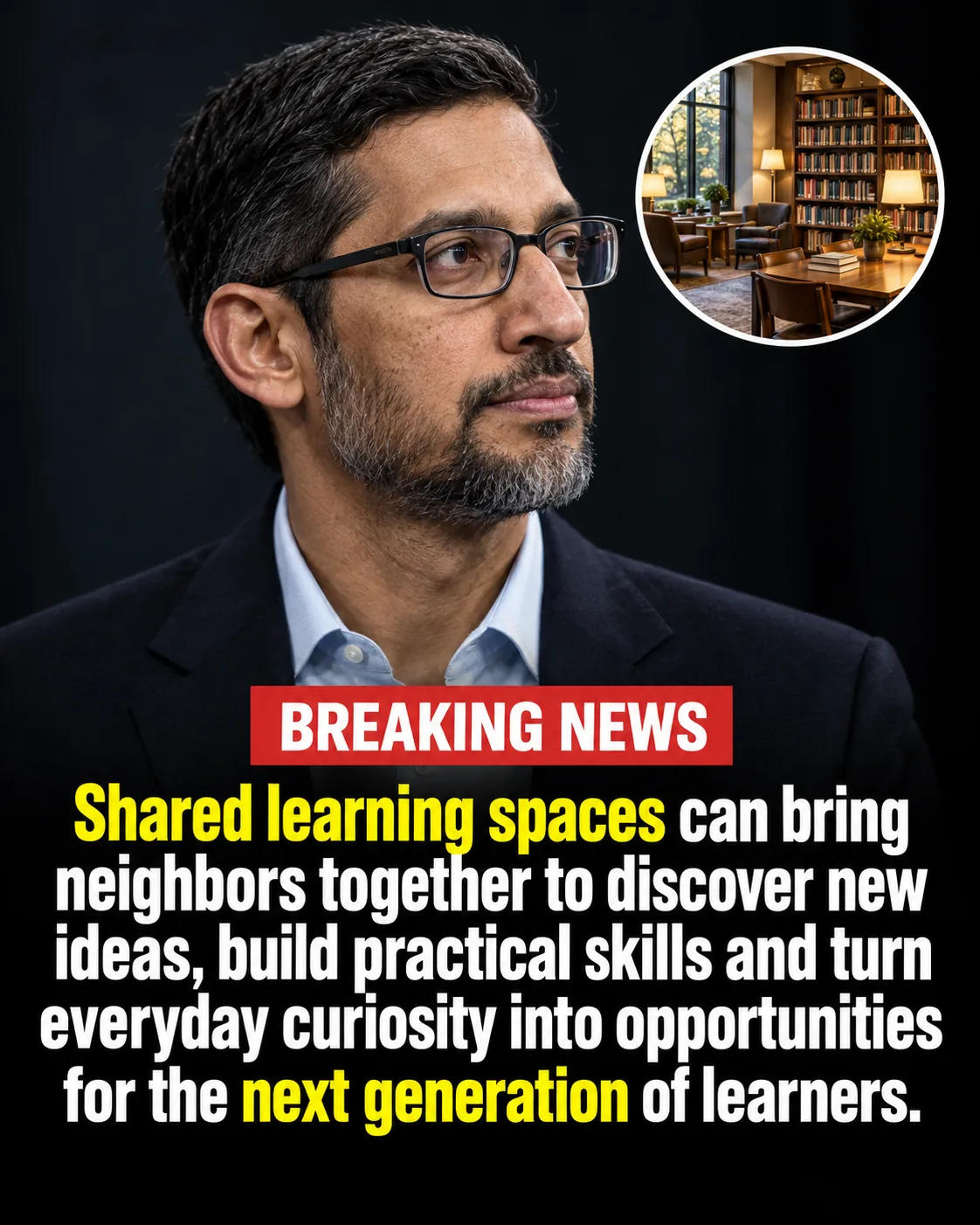
Turn a community story into a news image

Load this layout for a Sundar Pichai portrait direction with warm side lighting and a library reading-room circle. Replace the statement and enter the learning phrases in Words to highlight.

  • Person: Sundar Pichai
  • Circle: library reading room
  • Highlight: Shared learning spaces · next generation
Use this layout
Community news graphic with a Sundar Pichai portrait and library reading room circle inset

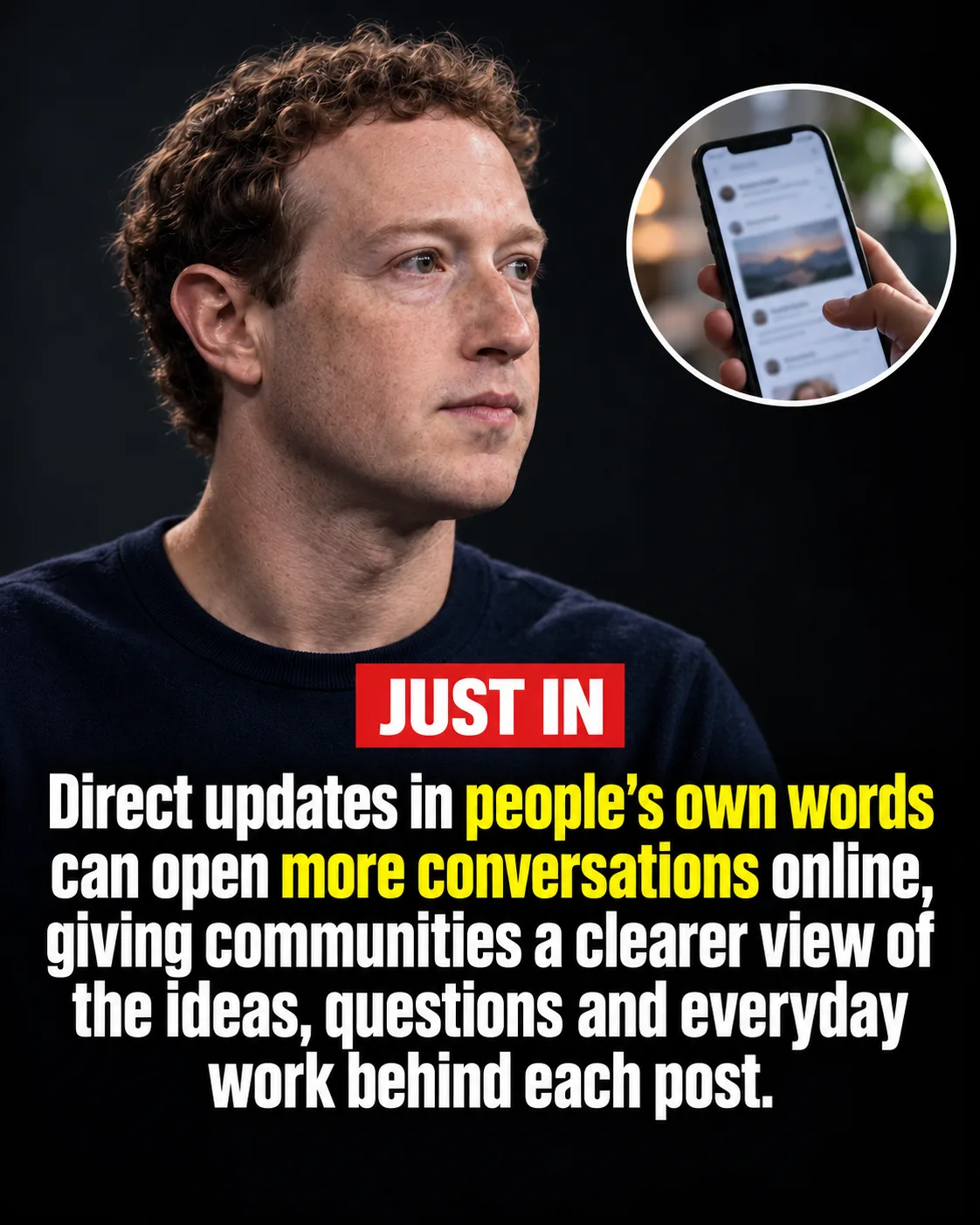
Create a social media news card

Load this layout for a Mark Zuckerberg portrait direction, charcoal studio background and phone inset. Edit the full statement and keep JUST IN or change the Alert label.

  • Person: Mark Zuckerberg
  • Highlight: people's own words · more conversations
  • Circle: smartphone and social feed
Use this layout
Social media news card with a Mark Zuckerberg portrait, phone circle inset and JUST IN badge

Build a technology announcement graphic

Load this layout for a Jensen Huang portrait direction with a leather jacket, midnight studio background and computing-board inset. Edit the statement and EXCLUSIVE Alert label before generating.

  • Person: Jensen Huang
  • Circle: prototype computing board
  • Alert label: EXCLUSIVE
Use this layout
Hardware news graphic with a Jensen Huang portrait and computing board circle inset

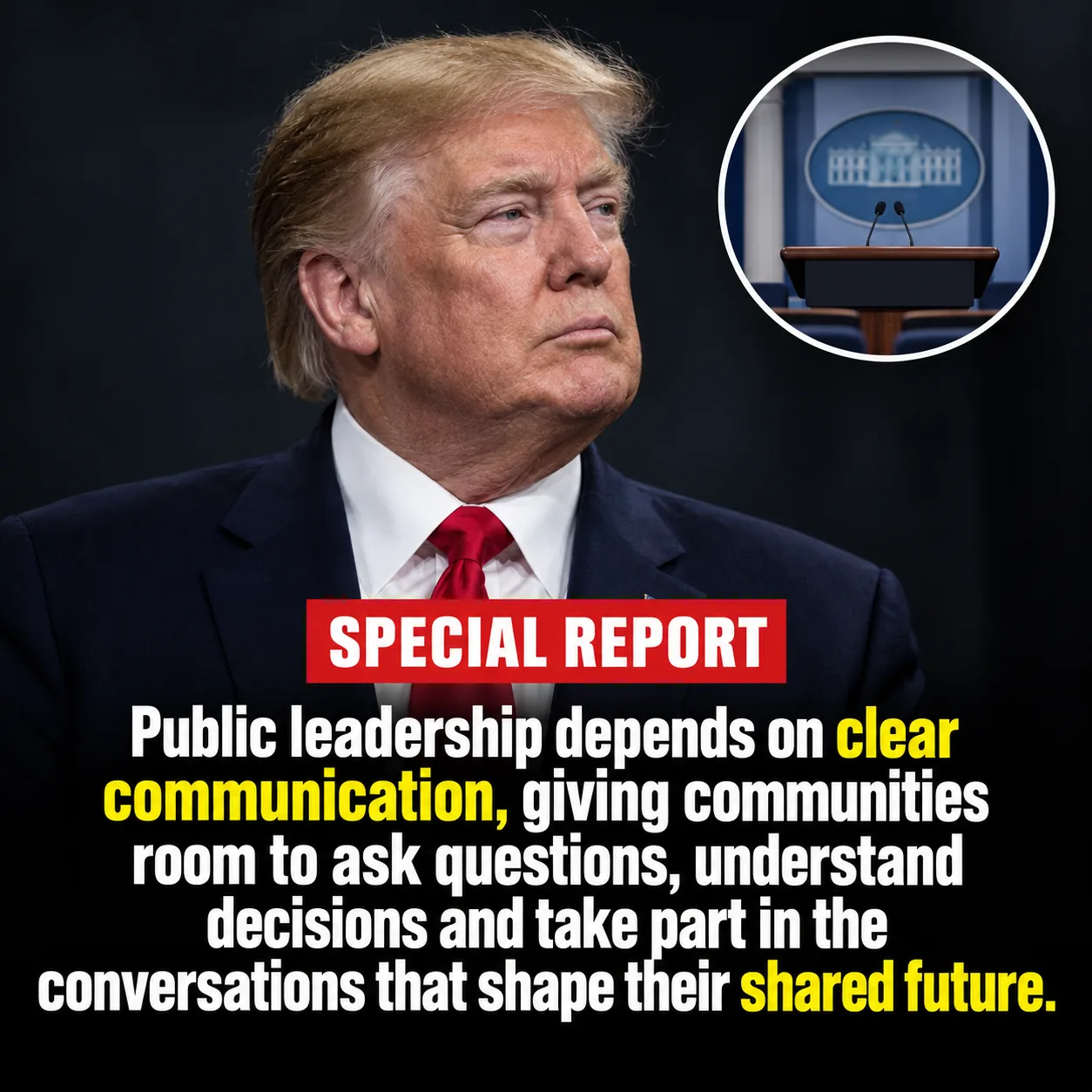
Make a square public affairs news post

Select Use this layout to load a Donald Trump portrait direction, press-room inset and 1:1 framing. Edit the complete statement and SPECIAL REPORT Alert label to suit your post.

  • Person: Donald Trump
  • Format: 1:1 square graphic
  • Circle: press briefing room
Use this layout
Square public affairs graphic with a Donald Trump portrait and press room circle inset
FAQ

AI News Graphic Generator: questions and answers

Can I try AI News Graphic Generator for free without signing in?

AI News Graphic Generator includes one free 1K image for a guest without login or signup. Each image tool has its own free try. Failed generations do not use the trial. Sign in to choose a higher resolution or create more images with credits.

How does the AI news graphic generator work?

Choose News article URL and Extract a supported article title, or choose Topic or event and enter your own Breaking headline. Primary subject and Secondary scene / object in circle are optional. Set the badge and highlights in Additional options, choose the output settings and generate one image. Use this layout in the image section loads a complete direction you can edit.

What aspect ratios and sizes are available?

Choose 4:5, 1:1, 9:16 or 16:9 in Aspect ratio. A guest trial creates one 1K news graphic; signed-in users can select 1K, 2K or 4K and see the credit cost. Image shows the graphic alone; Feed preview adds a post header, caption and controls around the same image.

Can I turn a news article URL into a social media graphic?

Yes. Choose News article URL, paste a supported public Reuters, AP, BBC, Guardian, NYT, Verge or TechCrunch article link and select Extract to fill the headline and context. Edit the imported headline and context, add your subject and circle inset, then generate a news image. Import reads article metadata rather than the full story or a fact-check. If access fails, enter the topic and headline yourself.

Can I make a breaking news post with my own headline?

Yes. Choose Topic or event and enter the full statement you want in the graphic. Additional options let you use BREAKING NEWS, JUST IN, EXCLUSIVE or your own alert label, with a regular or angled badge. The headline is rendered into the generated image rather than an editable text layer.

How do I highlight words in a news headline?

Open Additional options and enter up to five comma-separated words or phrases from your headline in Words to highlight. Choose a preset Headline accent or select Custom for your own color. The request uses those phrases to guide emphasis in the generated graphic; the underlying headline remains the full text you supplied.

Can I choose a portrait for the news graphic?

Yes. In Primary subject / person, choose a portrait option or use Name or describe the primary subject for another person, pose or clothing. Describe the inset separately in Secondary scene / object in circle. The portrait is AI-generated from that description; this tool does not import the person's photo from the article.

Can I edit the headline after generating a news image?

Edit the headline and other controls, then generate a new image. The completed news graphic is a single image, so its letters, portrait and badge cannot be moved as separate layers. Each new signed-in generation uses credits; Image and Feed preview show the same completed graphic.

START CREATING

AI News Graphic Generator

Make a breaking news graphic from a headline or article URL, with a portrait and highlighted text. Try one 1K image free, no login required.

Add a story